- Feb 04, 2026
-
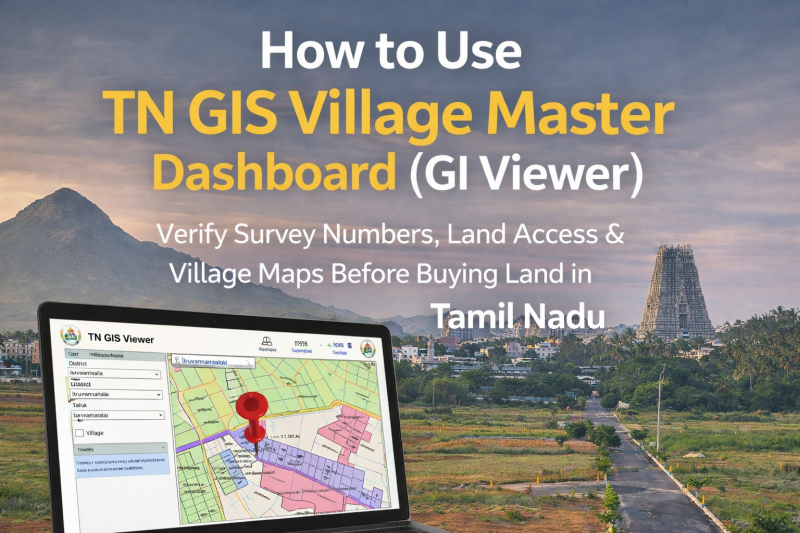
How to Use TN GIS Village Master Dashboard (GI Viewer) to Verify Land Details Before Buying a Plot
Buying land in Tamil Nadu—especially in fast-growing areas like Tiruvannamalai—requires more than just trust in a broker or seller.
One of the biggest mistakes land buyers make is not verifying land access, survey boundaries, and government road connectivity before purchasing.
To solve this problem, the Government of Tamil Nadu has launched an official digital tool called the TN GIS Village Master Dashboard (GI Viewer).
This guide explains what the TN GIS GI Viewer is, why it matters, and how you can use it step-by-step to verify land details before you buy.
What Is the TN GIS Village Master Dashboard (GI Viewer)?
The TN GIS Village Master Dashboard, also called the GI Viewer, is an official online land-mapping platform developed by the Tamil Nadu government.
It allows citizens to:
- View village maps
- Identify survey numbers
- Check road access
- Understand land boundaries
- Verify connectivity to government roads
This tool is especially useful for plot buyers, investors, and NRIs who want transparency before making a decision.
Why TN GIS GI Viewer Is Important Before Buying Land
Many land disputes arise due to:
- No legal road access
- Private pathways shown as public roads
- Incorrect survey boundaries
- Landlocked plots
Using the TN GIS GI Viewer helps you visually confirm what documents alone cannot clearly show.
Without checking GIS:
❌ You may buy a plot with no vehicle access
❌ Banks may reject loans
❌ Construction approvals can fail
❌ Resale becomes difficult
With GIS verification:
✅ Clear road access
✅ Clean documentation
✅ Better resale value
✅ Peace of mind
Official Website to Access TN GIS Village Master Dashboard
👉 https://tngis.tn.gov.in/apps/village_dashboard/
(Always use the official government site only.)
Step-by-Step Guide: How to Use TN GIS GI Viewer
Step 1: Open the Dashboard
Visit the TN GIS Village Master Dashboard link.
You will see a map interface with selection options on the left side.
Step 2: Select District and Taluk
Choose:
- District (Example: Tiruvannamalai)
- Taluk (Example: Chengam, Kilpennathur, Polur, etc.)
Once selected, the village map will load.
Step 3: Select the Village
From the village dropdown:
- Choose the village where the plot is located
- The map will zoom into that specific village
You will now see survey boundaries and layout markings.
Step 4: Enter the Survey Number
If you know the survey number:
- Enter it in the search bar
- The system will highlight the exact land parcel
This helps you confirm whether the plot shown by the seller matches government records.
Step 5: Check Road Access (Most Important Step)
Zoom into the highlighted plot and observe:
- Roads marked in distinct lines
- Panchayat roads
- Village roads
- Main connecting roads
✅ If the plot directly touches a government road, it has legal access
❌ If other lands surround the plot with no road touching it, it is landlocked
A plot without road access is risky—no matter how cheap it looks.
Step 6: Verify Surroundings & Connectivity
Use the map to check:
- Nearby roads
- Adjacent plots
- Distance to highways
- Access routes for vehicles
This helps you understand future usability, not just legal status.
What TN GIS GI Viewer Does NOT Replace
Important to note:
- TN GIS is for visual verification
- It does not replace Patta, Chitta, or Sale Deed
- It should be used along with physical site visit
Always cross-check with:
- Patta / Chitta
- Field Measurement Book (FMB)
- On-ground inspection
Common Mistakes Buyers Make While Using TN GIS
❌ Assuming all visible roads are public
❌ Not zooming in properly
❌ Confusing private cart tracks with government roads
❌ Skipping physical verification
If in doubt, consult a local surveyor or legal expert.
Pro Tips for Smart Land Buyers
- Always verify road access on TN GIS before paying advance
- Take screenshots of the GIS map for reference
- Match survey numbers with documents
- Visit the site physically after GIS verification
- Never rely only on verbal assurances
Why This Matters When Choosing a Developer
A trustworthy developer will:
- Encourage GIS verification
- Share survey details openly
- Explain road access clearly
- Avoid hidden or landlocked plots
At Daga Developers, we believe buyers should verify everything themselves—because confidence comes from clarity, not pressure.
Final Thoughts: Use Technology, Avoid Regret
The TN GIS Village Master Dashboard is one of the most powerful tools available to land buyers in Tamil Nadu—and it’s completely free.
Before you buy any plot:
- Open the GI Viewer
- Check survey boundaries
- Confirm road access
- Understand the surroundings
A few minutes of verification today can save years of legal trouble tomorrow.


Comments :
Currently, there are no comments in this post. Be the first person to comment on this post.